
Loading...
Uniview
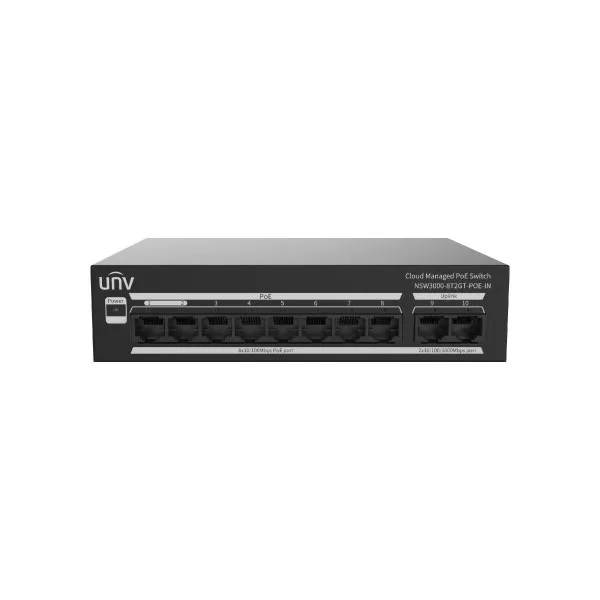
Uniview NSW3000-8T2GT-POE-IN 8 Port Cloud Managed Ethernet PoE Switch
Ask For Price
8 x 10/100Mbps POE port (RJ45), 2 x Gigabit port (RJ45)
Switching capacity 5.6 Gbps
MAC 4K
Max capacity: 130W
1 Year warranty
Switch
Hardware Specification
Ports Type:
8 x 10/100Mbps POE port (RJ45) ,
2 x Gigabit port (RJ45)
Standards: IEEE802.3, IEEE802.3u, IEEE802.3az, IEEE802.3x, IEEE802.3af, IEEE802.3at
Switching capacity: 5.6 Gbps
Forwarding performance: 4.17Mpps
Packet Buffer: 2 M bit
MAC: 4K
Weight: 0.67KG
Dimensions (W×D×H): 169mm*132mm*40mm
PoE Standard: IEEE 802.3af, IEEE 802.3 at
Max.PoE Power:
Maximum total power: 120W
Maximum PoE power for single port: 30W
PoE Mode: ModeA (1236), ModeB (4578)
Power Supply: AC: 100 to 240V, 50/60Hz
Max.Power: 130W
Prior Ports: 1 to 2
Cooling Fans: 0
Operating Humidity: 5% to 90% RH, noncondensing
Operating Temperature: 0°C to 45°C (32°F to 113°F)
Indicator:
Power:
Off: Abnormal power input
Green: Normal power input
Yellow: The total PoE power is higher than 85% of the total power of the device
Link/Act:
Off: Disconnected to the port
On: Connected to the port
Blinking: Transmitting data
Software Specification
Ethernet:
Supports full duplex, half duplex, and auto-negotiation working modes
Supports enabling/disabling ports
Supports port auto-negotiation rate
Supports port priority flow control.
Supports port flow statistics
Supports a link aggregation group (consist of two uplink ports)
VLAN: Supports both access and trunk modes; allows up to 32 VLANs with IDs from 1 to 4094
MAC:
Support (up to 4K).
Support (up to 4K).
Supports clearing the dynamic MAC address
POE:
Allows to view PoE status and power.
Allows to view PoE status and power.
Allows to enable/disable PoE power supply.
Loop Detection: Loop Detection
QoS:
Supports port rate limitation.
Supports broadcast storm control.
Security:
Supports port isolation (only for the downlink ports).
Supports locking login IP address, up to 64 addresses can be locked
Maintenance:
Supports N:1 port mirroring.
Supports unified software configuration, management, and search.
Supports discovering the connected video devices and generating a network topology on the software.
Supports device upgrade, factory settings restoration, configuration import, configuration export, logs export, and device restart on the software.
System:
Allows to view the device name, device model, serial number, current version, IP address, MAC address, DNS, operation time, etc.
Allows to edit and manage the IP address and device name.
Supports single-user management, user authentication, and password modification.
Allows to view other switches information on the same network, up to 32 switches.
Allows to view the connected video devices information, up to 64 devices .
Compliance
NDAA Compliant: Support