
Loading...
Uniview
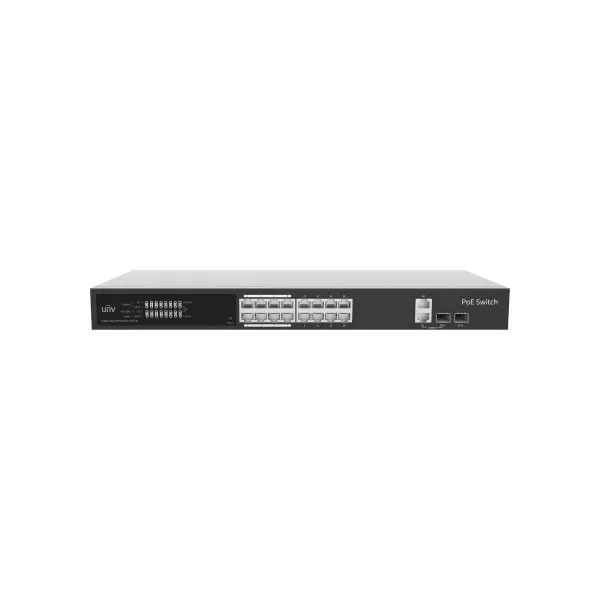
Uniview NSW2100-17GT1GP1GC-POE-IN 16 Port Lite Cloud Managed Gigabit Ethernet PoE Switch
Tk
18900
IEEE 802.3af, IEEE 802.3 at
Switching capacity 38Gbps
MAC 8K
Max capacity: 250W, Maximum PoE power for single port: 30W
1 Year Warranty
Switch
Hardware Specification
Ports Type:
16x 10/100/1000Mbps PoE port (RJ45),
1 x 10/100/1000Mbps port (RJ45) ,
1 x Gigabit SFP,
1 x Gigabit Combo
Switching capacity: 38Gbps
Forwarding performance: 28.272 Mpps
Packet Buffer: 4 M bit
MAC: 8K
Prior Ports: 1 to 8
Dimensions (W×D×H): 440*189.8*44mm
Power Supply: AC: 100V to 240V, 50/60Hz
PoE Standard: IEEE 802.3af, IEEE 802.3 at
PoE Mode: ModeA (1236), ModeB (4578)
Max.PoE Power:
Max capacity: 250W
Maximum PoE power for single port: 30W
Max.Power: 265W
Cooling Fans: 1
Weight: 2.11kg
Operating Temperature: 0°C to 45°C (32°F to 113°F)
Operating Humidity: 10% to 90% (noncondensing)
Indicator
Power:
Off: Abnormal power input.
Green: Normal power input.
PoE:
Off: No PoE power supply
Steady on: PoE power supply is normal.
PoE-MAX:
off :The POE power supply power of the whole machine is less than 80% of the specification.
Steady on : The POE power supply power of the whole machine is greater than 85% of the specification.
Link/Act:
Off: Disconnected to the port
On: Connected to the port
Blinking: Transmitting data.
Software Specification
Ethernet:
Supports full duplex, half duplex, and auto-negotiation working modes
Supports enabling/disabling ports
Supports port auto-negotiation rate
Supports port priority flow control.
Supports port flow statistics
VLAN: allows up to 32 VLANs with IDs from 1 to 4094
MAC: Support static MAC, up to 32.
POE: Allows to view PoE status and enable/disable PoE power supply in the APP
Loop Detection: Loop Detection
Security: Supports port isolation
Maintenance:
Supports N:1 port mirroring
Supports device upgrade, factory settings restoration, configuration import, configuration export, and device restart on the software.
System:
Allows to view the device name, current version, IP address, MAC address, DNS, etc.
Allows to edit and manage the IP address and device name
Compliance
NDAA Compliant: Support